SAVE IT / FOR IPHONE

Save It
The links you meant to come back to, all in one place.
Recipes to try, videos to watch, places to visit, articles to read.
Save links from the apps you already use and return to them by what you're in the mood for — not where you found them.
App Store — Coming soon
See how it works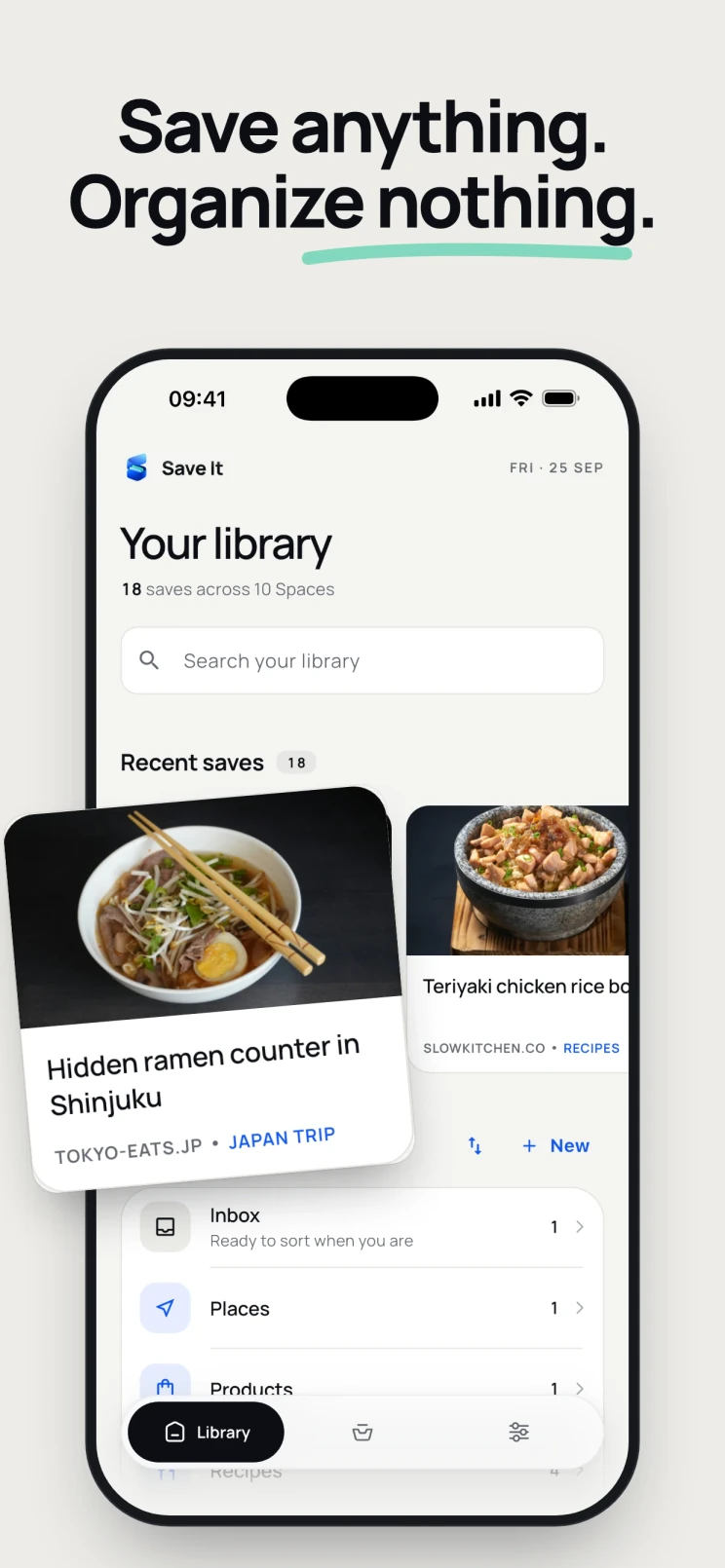
Keep the link.
Skip the filing.
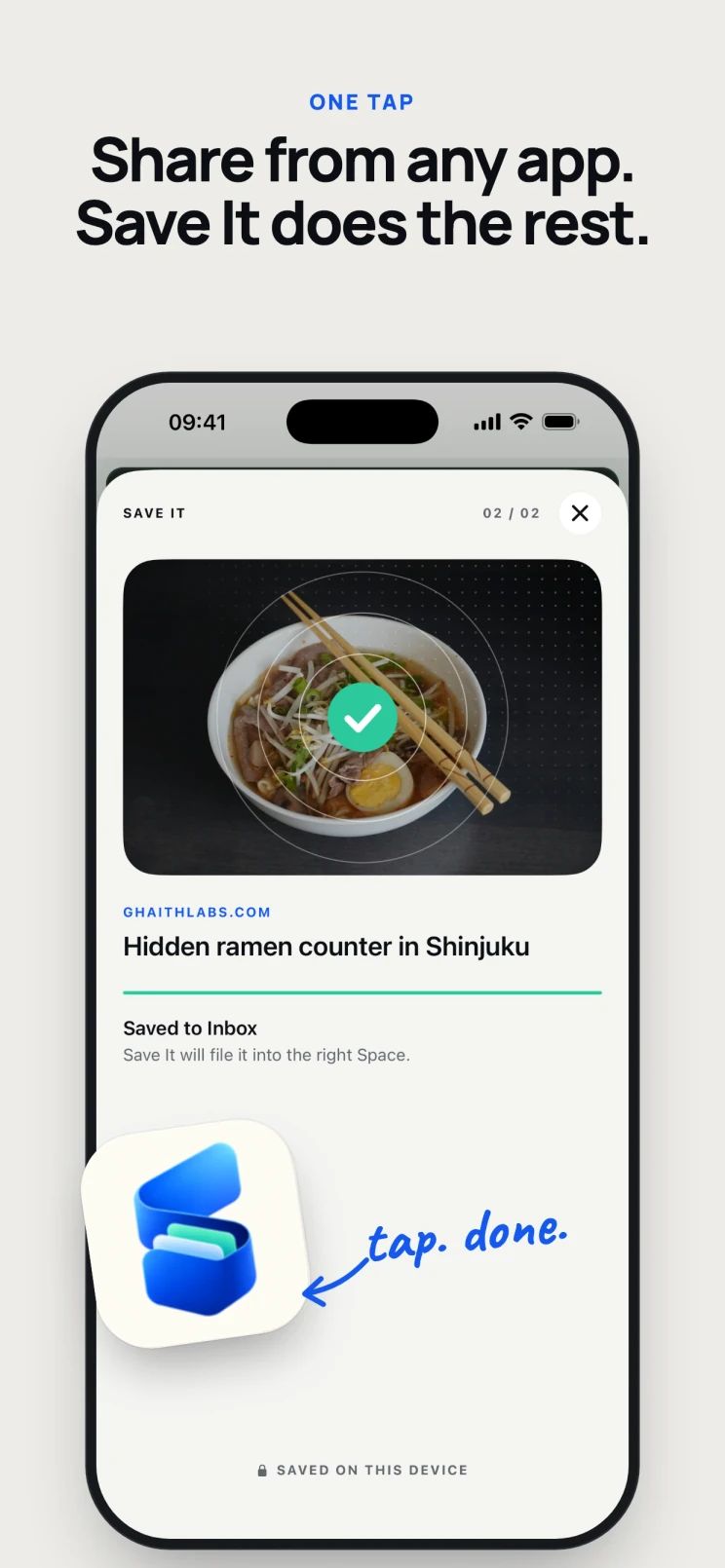
Found a recipe on Instagram or a video on YouTube?
Use the iPhone Share Sheet to save the link directly to Save It. It joins your personal library without asking you to choose a folder first.
Saved links are kept locally, so capturing a link doesn't need to wait for AI processing or an internet connection.
What are you
in the mood for?
Spaces bring your saved links together around what you want to do.
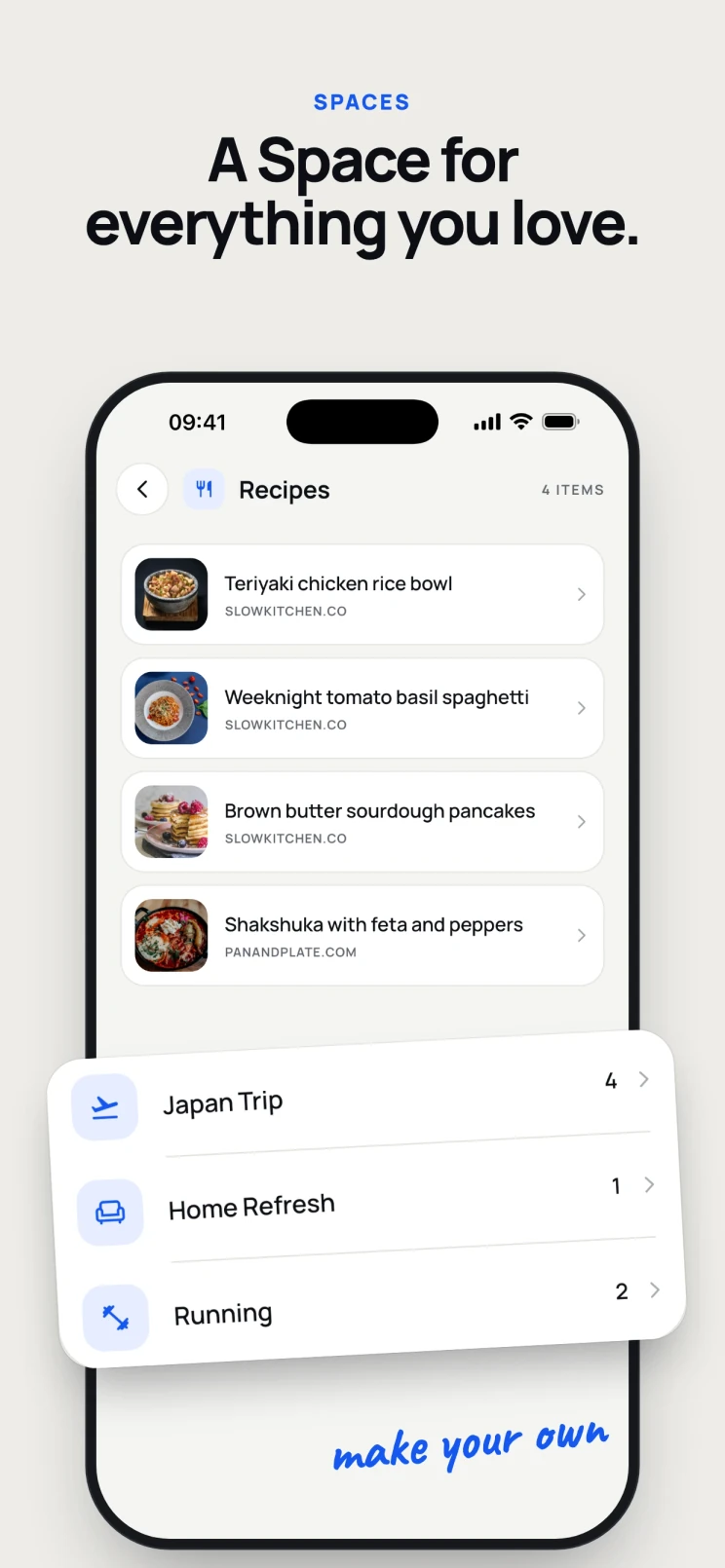
Ready to cook?
Open Recipes.
Planning somewhere to go?
Browse Places.
Have time for a video?
Head to Watch.
With online organization enabled, AI helps place links into relevant Spaces. When a link can't be confidently categorized, it stays in your Inbox. You can keep saving and organize manually with online processing off.
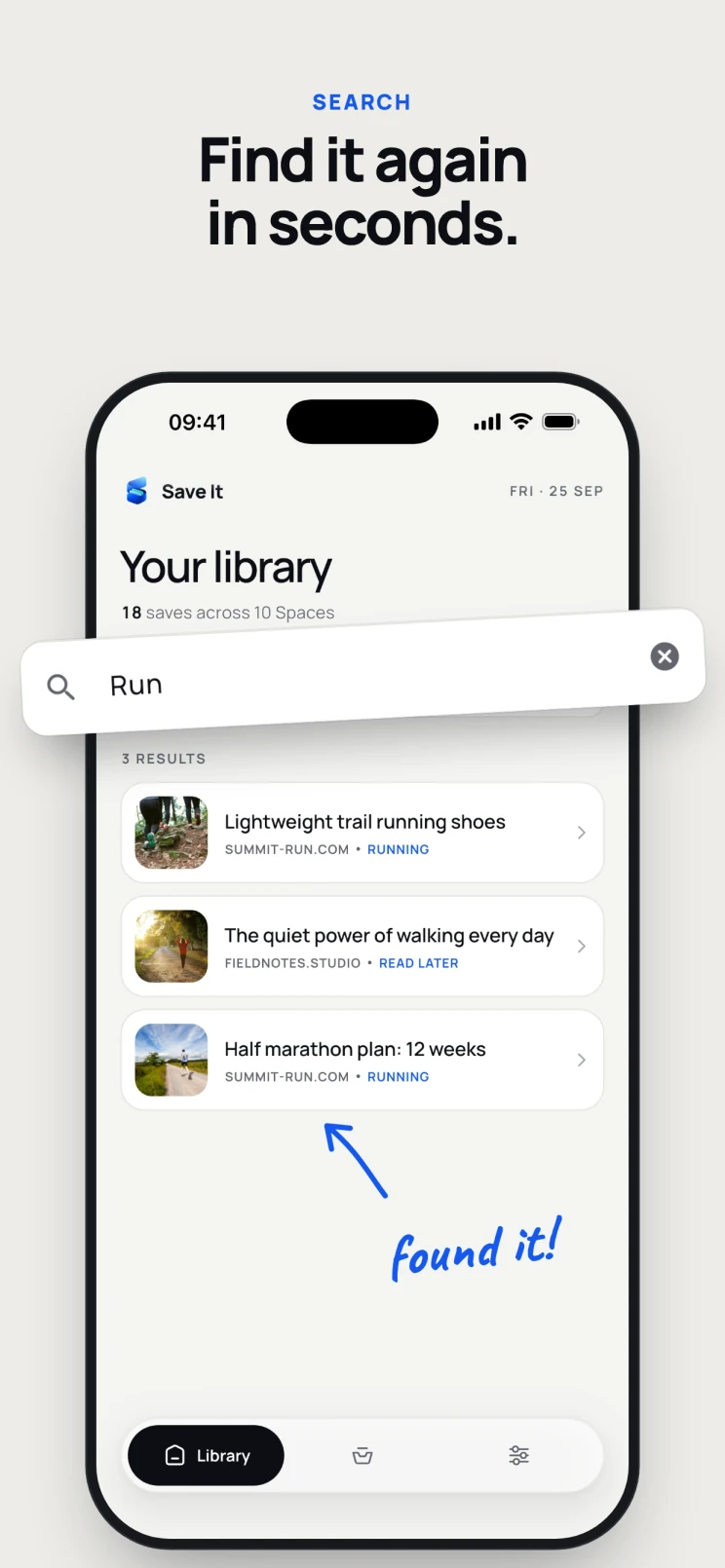
Looking for something specific? Search your library. You can also move saved links, create your own Spaces, and let recurring corrections guide future organization.
Your saved content,
ready when you are.
Keep the link. Know what stays with it.
- Does Save It download the original content?
- Save It organizes shared links and their available details. It is not a video downloader or a full offline archive. Opening a saved link still depends on the source: deleted posts, private pages and sign-in requirements can affect access.
- What works without a connection?
- Link capture, library search and manual organization work locally on your iPhone. Online organization and previews need an internet connection and your permission. No sign-up is required; a guest account supports online services and purchases. The library has no multi-device cloud sync.
- Can I create Spaces, and will AI use them?
- Both free and Pro allow 23 custom Spaces alongside seven built-in Spaces, including Inbox: 30 in total. You create Spaces yourself. With online organization enabled, AI can place saves into your existing custom or built-in Spaces; it does not create new ones. Uncertain results stay in Inbox.
- What happens when free AI organizing runs out?
- You can keep saving links to Inbox, searching, creating Spaces within the same limit and moving saves yourself. The free AI allowance is a lifetime total, not a monthly allowance. Pro continues automatic organization and processes saves waiting for Pro when online organization is enabled, subject to service limits. Check the current allowance and subscription options in the app when Save It becomes available.
App Store — Coming soon. Download access is not available yet.